


How do you know your Steam account was hacked?
Some hacks are loud and some are quiet. Look for any of these:
- You cannot log in, or Steam says the password, email or phone is wrong.
- Steam emailed you about a change you did not make. Valve's security recommendations say Steam informs you of security changes by email, so watch that inbox.
- Skins are missing, or your Trade History shows trades you did not make.
- Your profile changed to threaten a ban. Valve's trade redirection page says scammers do this to rush you, and that Steam Support never edits your profile to threaten a ban.
- Your library is blocked by an alert telling you to contact an agent in chat. Valve says that alert is fake and comes from malware on your PC (details).
- Friends say you sent them links you never sent.
If you only suspect it and can still log in, our guide to securing your Steam account has the full lockdown checklist. This page is about getting an account back after it was taken, and about which CS2 skins you can still recover.
Which recovery path are you on?
The right steps depend on what the hacker changed. Find your row first.
| Your situation | What to do first |
|---|---|
| You can still log in | Change your password from a clean device, then Sign out everywhere from Authorized Devices. Then check Trade History. |
| You cannot log in, but the email or phone on the account is still yours | Use Help, I can't sign in on help.steampowered.com to reset the password. |
| The hacker changed the email, phone and password | Use Help, I can't sign in anyway. Valve says you can always recover the account through Support, even then. |
| The hacker added their own Steam Guard authenticator | Contact Steam Support through the Help site to have it removed, with proof of ownership. |
| Someone wants money to give the account back | Do not pay. Recover it through Support. |
The last row matters. Valve's Scam FAQ says you should never pay a scammer, even one who has full control of your account, and that a scammer who is already robbing you is not likely to return it anyway.
How do you recover a Steam account you can't log in to?
Everything starts on Valve's own site. Type help.steampowered.com yourself rather than clicking a link, because the hacker may be sending you fake "support" links.
- Open Help, I can't sign in and choose the option that fits.
- When Steam asks you to search for the account, enter your email address, not the one the hacker put on it. Valve's recovery page points out that people get stuck here by guessing the account's current email. Your own address helps Steam find the account, or offers other ways to locate it.
- If the self-recovery steps work, you set a new password and you are back in.
- If they do not, the Help site lets you contact Steam Support. Valve says Support will verify the account is yours and recover it for you.
- In that ticket, give every login name you may have used, every email address that may have been on the account, and your proof of ownership (next section).
Valve is clear that Steam Support only talks to you on help.steampowered.com. Anyone on Discord, Steam chat or email who says they are Support and can speed this up is part of the scam.
What proof of ownership does Steam Support accept?
Valve's Providing Proof of Ownership page says ownership is shown with payment information used on the account, or with retail product codes that were activated on it. The most common kinds:
| How you paid or activated | What to send Steam Support |
|---|---|
| Credit card | Card type, name on the card, billing address with city and postal code, and only the last four digits of the card. Never the full number. |
| PayPal | Full name and billing address on the PayPal account, plus a screenshot of a Steam purchase in PayPal that shows the invoice ID. |
| Bank payments (Giropay, iDEAL, Sofort) | Name on the account, bank name, billing address and a statement screenshot of the Steam payment. Sofort also needs the 18-digit number and bank code. |
| paysafecard | A screenshot of the payment details with the Transaction ID, from the paysafecard balance page. |
| Steam Wallet code or retail card | A photo or scan of the code, with your Support ticket number written on the receipt in permanent ink. |
| Retail CD key | A photo of the key, with your ticket number written below it in permanent ink. |
| Digital activation code | A screenshot of the email or account page where you received the code, with the code visible. |
| Kiosk or phone payment | A photo of the kiosk receipt with your ticket number on it, or the purchase text message or phone bill. |
Valve's page also covers Alipay, BoaCompra, WebMoney, Yandex, Qiwi, Culture Voucher and mobile payments. A practical tip: go through your email and bank app before you open the ticket, and attach everything you find in one go.
What if the hacker added their own authenticator?
This is common, because a hacker who adds their own Steam Guard Mobile Authenticator can confirm trades from their phone. It does not lock you out for good.
Valve's authenticator FAQ says that if you do not have access to the phone and do not have the recovery code, you need Steam Support to remove the authenticator, and that you should include proof of ownership if you no longer control the account's email.
Valve also built a delay in for exactly this case. Its Trading and Market Restrictions page says that trades created in the first 7 days after an authenticator is added are still held for up to 15 days, "to recover your account if a malicious actor were to ever add an authenticator". For CS2 items specifically, trade protection has replaced holds, which is covered next.
Which CS2 skins can you still get back?
This is where speed pays. Since 16 July 2025, every CS2 item received in a trade is Trade Protected for 7 days, and you can reverse recent trades yourself. The rules, from Valve's Trade Protected Items FAQ:
- First make sure you control the account. Valve says to contact Support if you are not sure someone else is locked out.
- Reversing undoes all trades with Trade Protected items from the last 7 days, including your own good trades.
- Your account then gets a 30-day trade and Community Market cooldown. Steam Support cannot remove it.
- Your Market listings come back to your inventory and your pending trade offers are cancelled.
- Only trades made as Trade Protected (with the yellow shield) can be reversed.
What cannot come back: anything that left your account more than 7 days ago, and anything that left by a route other than a protected trade. Valve's Item Restoration Policy says Support does not restore items that left accounts "for any reason, including trades, market transactions, deletions, or gifting", because the items have usually changed hands again and restoring them would mean duplicating them or taking them from an innocent buyer.
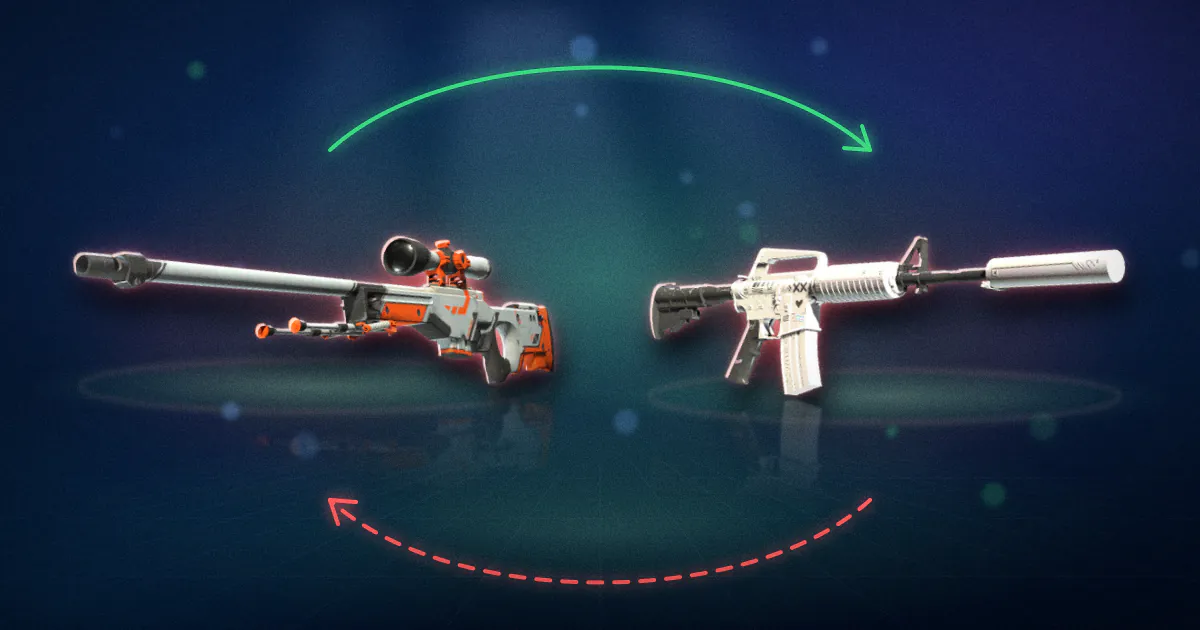
Worked example. Say a hacker gets in on 29 September 2026 and does three things. They trade away an AWP | Asiimov (Field-Tested) and an M4A1-S | Printstream (Field-Tested), which listed at about $97 and $171 on the cash markets (CSRated price snapshot, 2 October 2026). They also sell a Desert Eagle | Printstream (Field-Tested) on the Steam Market. You get the account back on 2 October.
- The two trades are inside the 7-day window until 6 October. Reverse them and roughly $268 of skins come back, at the cost of a 30-day cooldown.
- The Deagle sold through the Market, not a trade, so it is not covered.
- If you wait until 7 October, the window has closed and nothing comes back.
Our trade hold calculator shows the exact date a 7-day window ends for any trade, and the inventory value tool shows what is left in your inventory now. The full mechanics are in our trade protection and reversals guide.
What restrictions should you expect after recovery?
Getting the account back is not the end. Valve adds waiting periods after the kinds of changes a recovery involves. These run separately, so you may hit more than one. From Valve's Trading and Market Restrictions and Trade Protected Items pages:
| What happened | Restriction |
|---|---|
| Password reset (through the Help site or Support) | No trading or Market for 5 days, or 30 days if the account had no activity for over two months. A normal password change in settings does not trigger this. |
| You reversed CS2 trades | 30-day trade and Market cooldown. Support cannot shorten it. |
| Mobile authenticator removed | No trading or Market for 15 days. |
| New authenticator added | Trades made in its first 7 days are held up to 15 days. |
| Steam Guard turned on after being off | No trading or Market for 15 days. |
| Logging in on a new device without an authenticator | No trading or Market from that device for 7 days. |
Valve also says Steam Support cannot change any of these restrictions, whatever the reason the account ended up restricted. Plan for a quiet month. Do not let anyone talk you into "unlocking" trading early; nobody can.
What happens to bans the hacker caused?
Two kinds of bans behave differently.
VAC and game bans stay. Valve's VAC ban page answers this exact question: bans remain "regardless of who was using the account at the time". A VAC ban also blocks CS2 trading and item drops, per the restrictions page above. Valve does say that a VAC ban issued in error is removed automatically.
Locks for hijacking are lifted. When Valve finds a hijacked account being used to scam, its Scam FAQ says it locks the account until the rightful owner contacts Support. That lock is there to protect you.
How did the hacker get in?
Fix the cause, or the same hacker walks back in. The usual routes:
- A fake login page. You signed in on a lookalike site. The open phishing list our scam link checker uses held 10,078 Steam and Discord scam domains when we fetched it on 24 September 2026, 831 of them misspelling "steamcommunity". See fake Steam login pages.
- Malware. Valve's security page warns that Steam-targeting malware hides in cheats, pirated software, fake game betas and "gaming adjacent utilities", and can wait until your wallet has funds before it acts. Follow Valve's malware removal advice before you log in again on that PC.
- An API key. A key on your account lets a scammer see and cancel your trade offers. See Steam API key scams.
- Your email. If the email behind Steam is hacked, every reset goes to the hacker. Secure it with its own unique password and two-factor sign-in.
Common recovery mistakes
- Recovering on the infected computer. Change passwords and log in from a clean device until you have scanned the old one.
- Reversing trades before you are back in control. If the hacker still has access, they can trade the items out again.
- Waiting. Every day you wait shortens the 7-day reversal window.
- Talking to "Steam staff" on Discord. Valve says it never contacts you there.
- Paying for recovery. Valve does not restore items, so a paid "recovery service" is a second scam.
- Forgetting to report. Use Report Player on the accounts involved. Valve's reporting page says a profile report is quicker to act on than a support ticket.
Once you are back in, set up the authenticator, lock down your email and remove unknown devices with our account security guide. For the scams that lead to hacks in the first place, see common Steam scams.